
Help
Choose the right Sketch Board tool mode
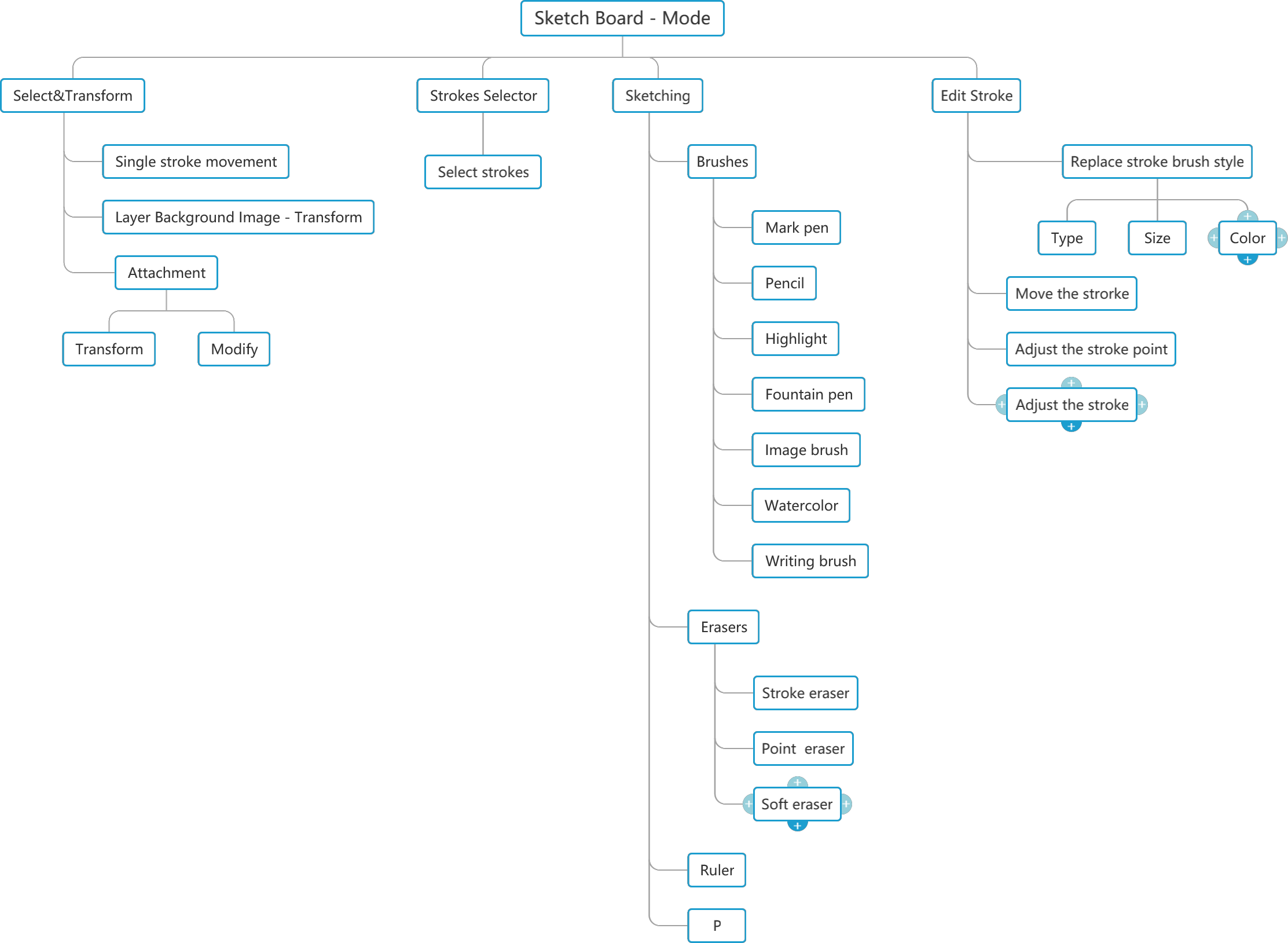
Use Tools mode to switch between Select & Transform, Strokes Selector, Sketching, and Edit Stroke.
Quick answer
Tools mode is the control hub for editing a board. Choose the mode by the object you want to work on: a whole item, a group of strokes, new drawing strokes, or an already drawn stroke.
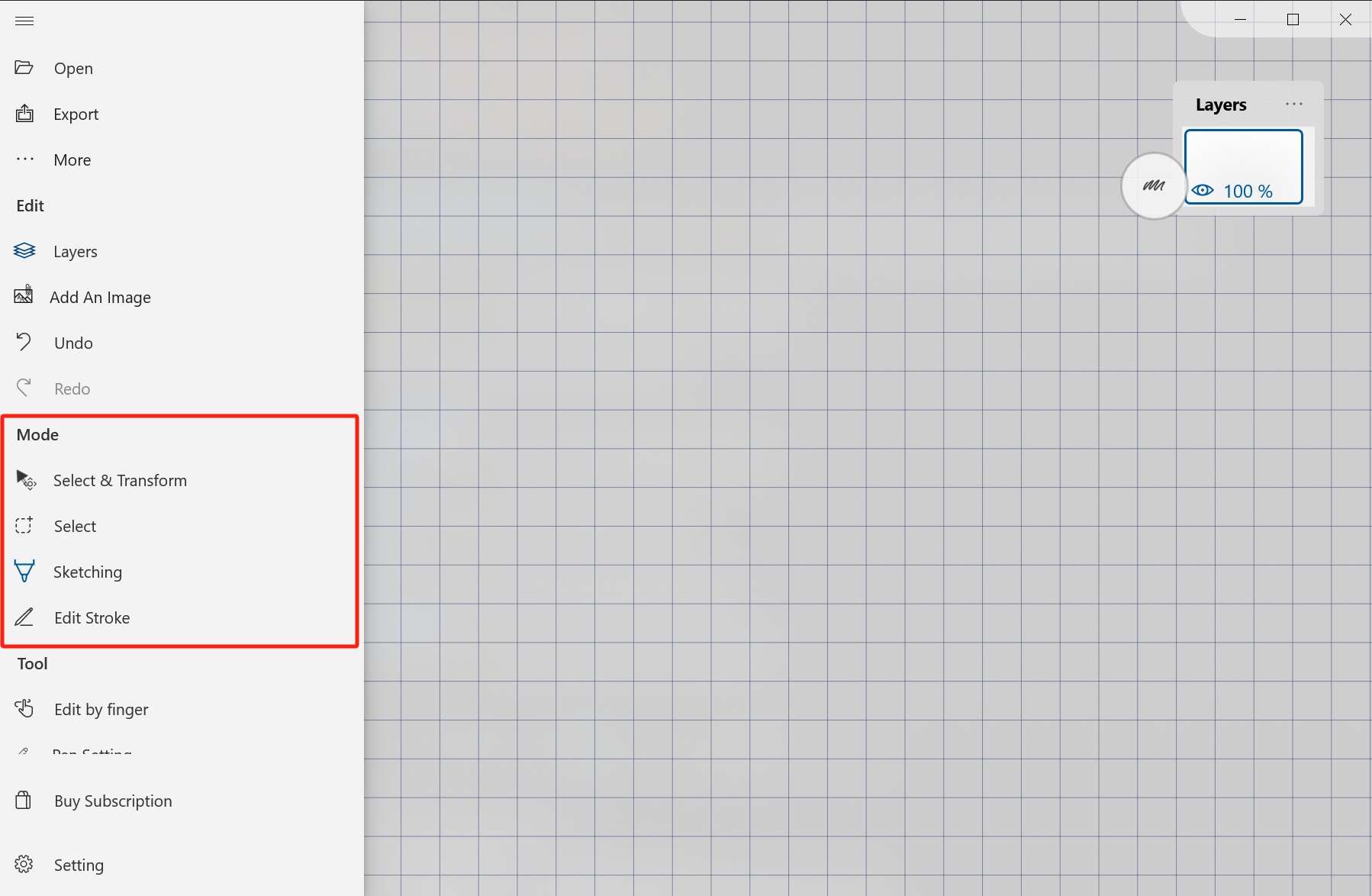
Where to find it
Open the Tools mode entry from the Sketch Board interface.
Mode map
- Select & Transform: move a single stroke, current layer strokes, a layer background image, or additional items. It also supports size adjustment.
- Strokes Selector: circle handwriting or drawing strokes, then operate on the selected strokes.
- Sketching: write, draw, erase, add shapes, choose colors, and switch between writing and painting behavior.
- Edit Stroke: edit existing strokes by changing brush style, moving strokes, adjusting points, or changing stroke curvature.
Practical choice
If you are creating new content, start with Sketching. If you are organizing content, use selection and transform tools. If a line is already drawn but needs correction, use Edit Stroke.