
Help
Edit existing strokes in Sketch Board
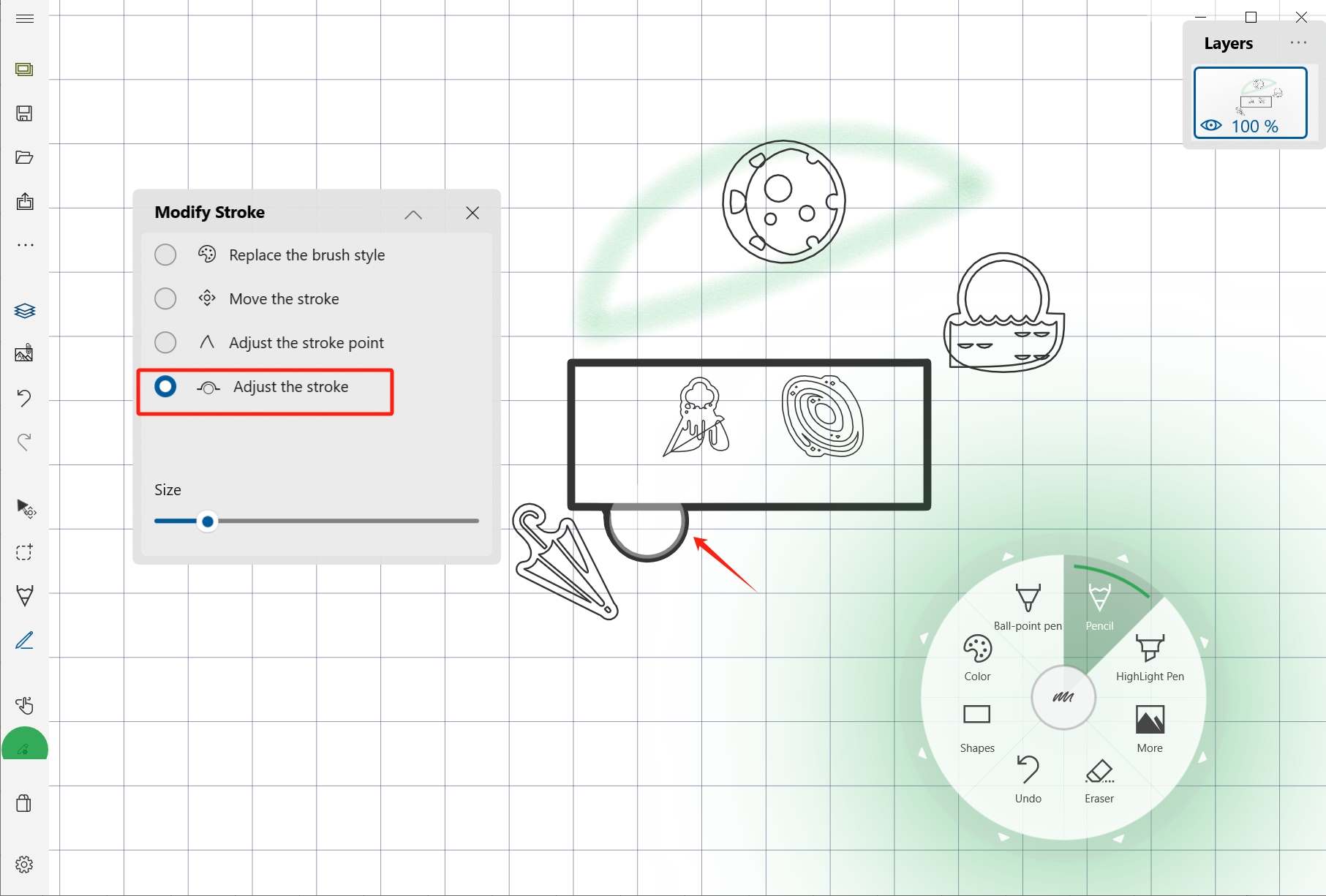
Use Edit Stroke mode to change brush style, move a stroke, adjust stroke points, or refine curvature.
Quick answer
Use Edit Stroke mode when a stroke already exists and you want to correct it instead of erasing and redrawing it.
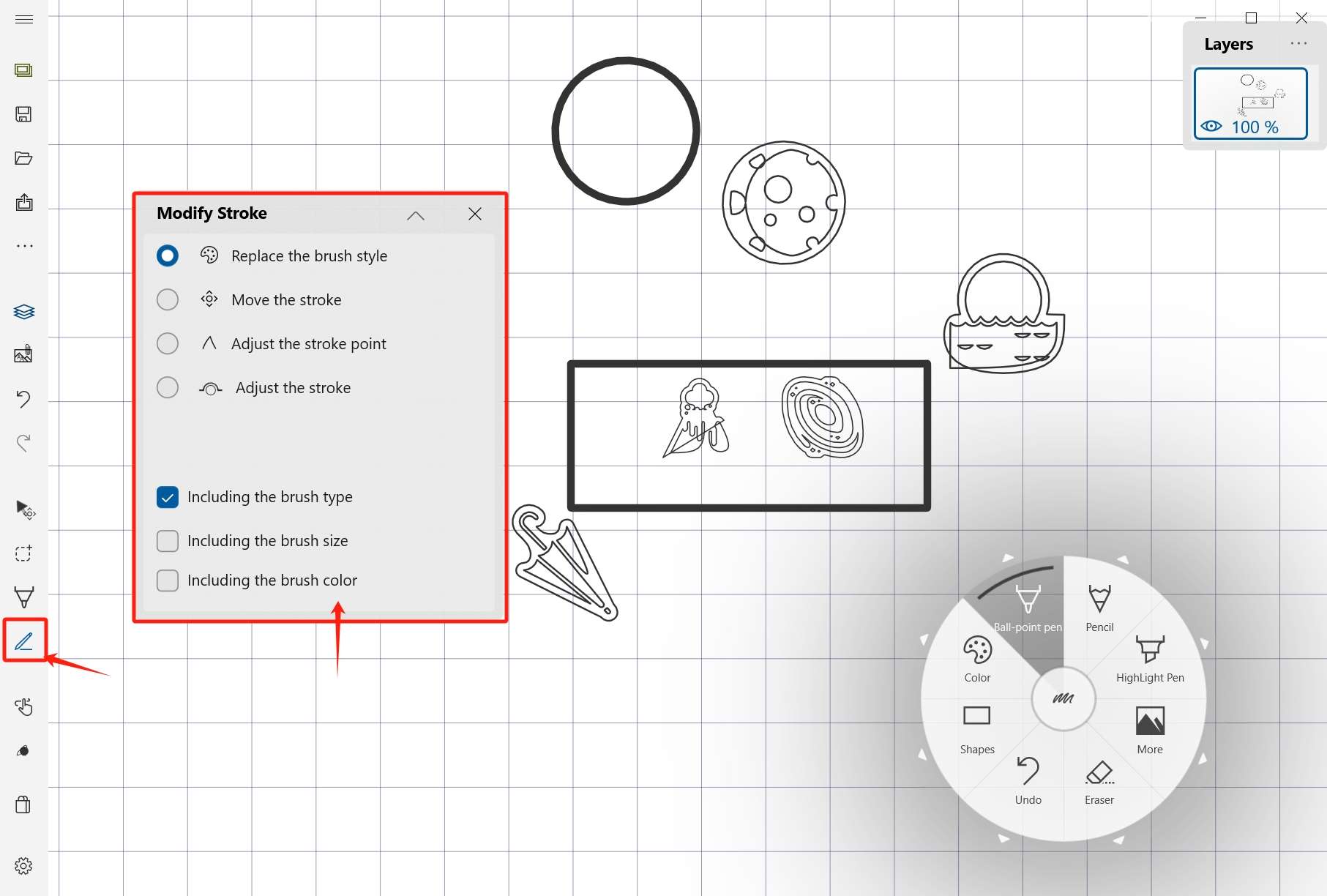
Change brush style
You can change the brush category, size, and color for existing handwriting strokes.
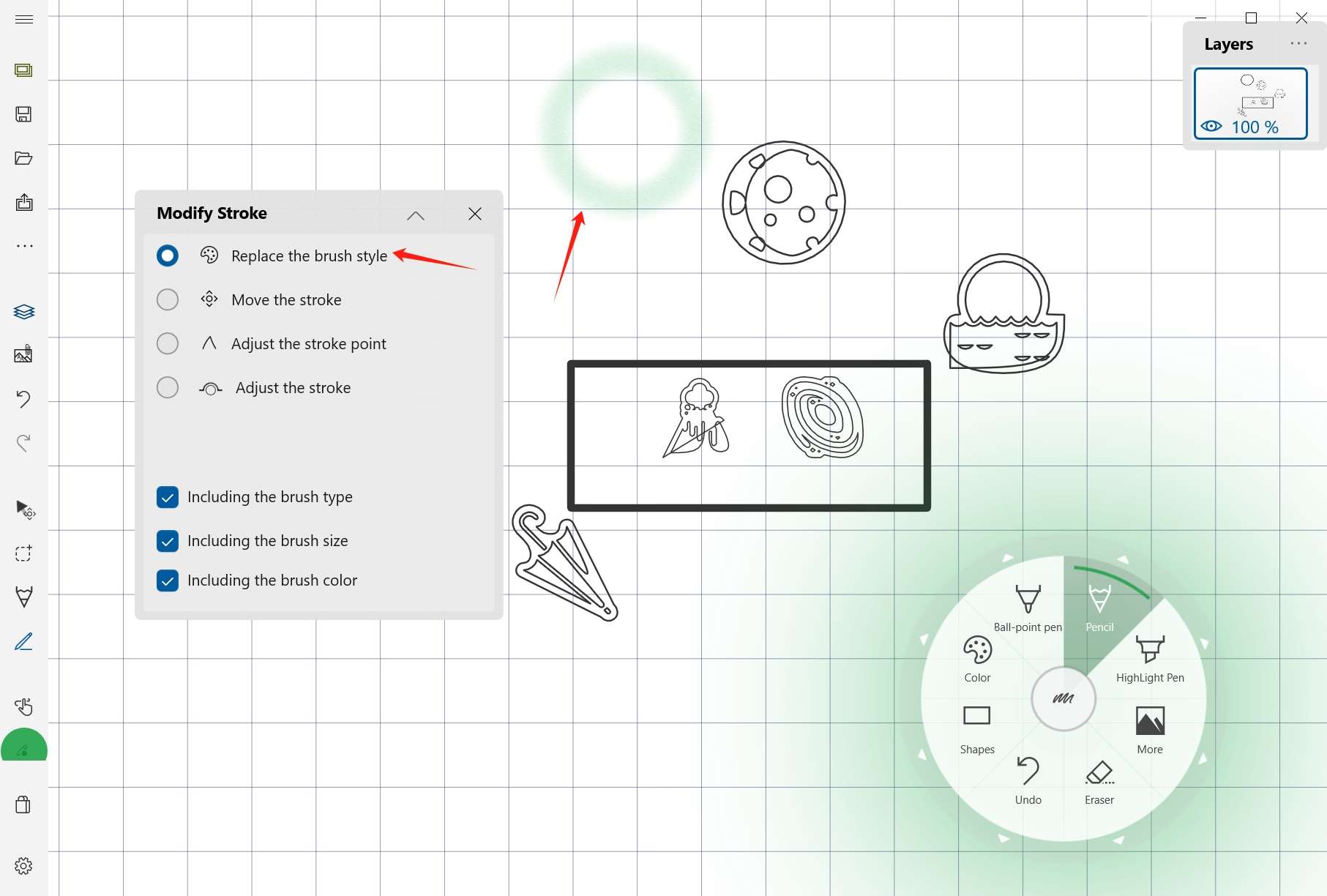
Move a stroke
Use the mouse or stylus to move the selected stroke directly.
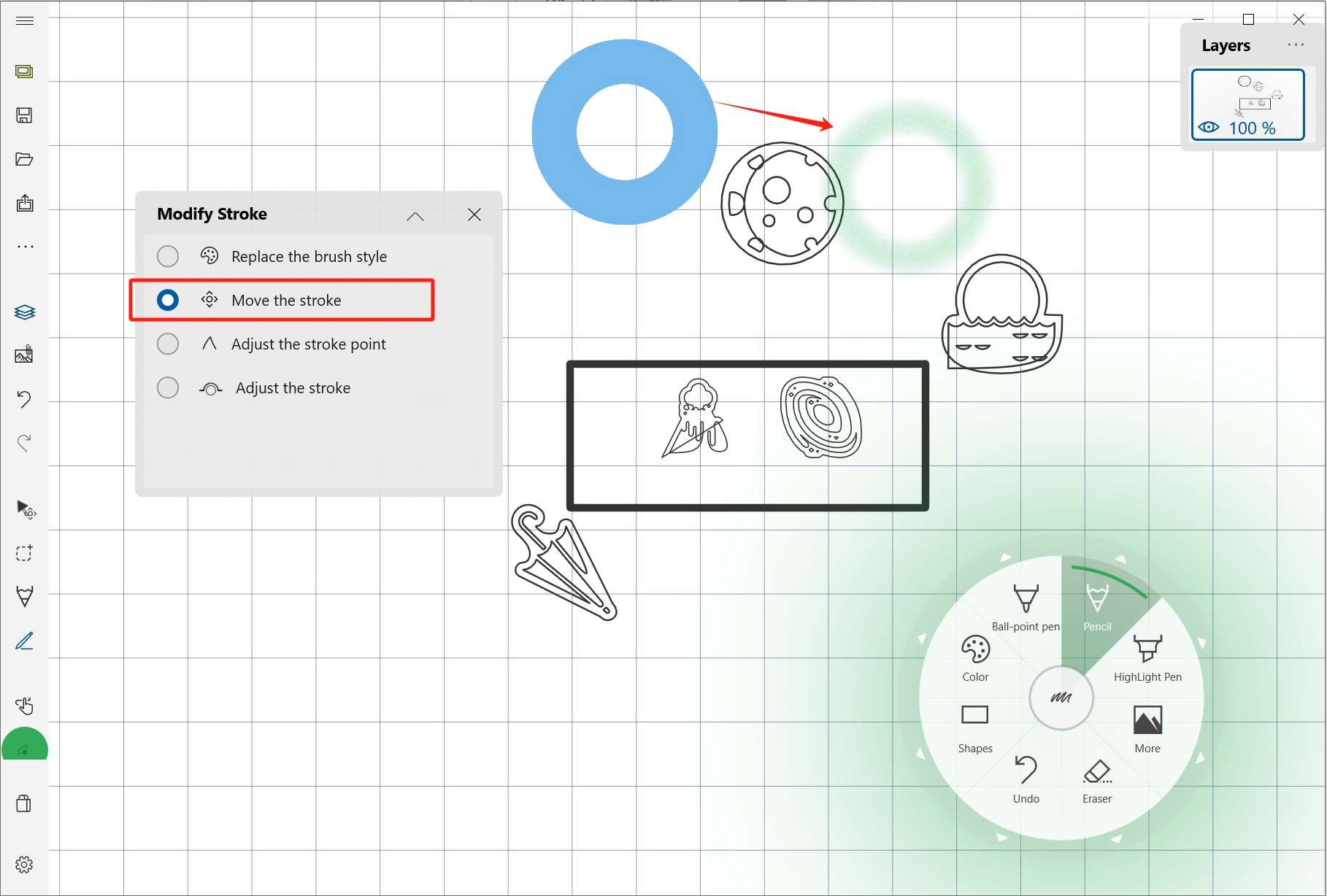
Adjust stroke points
Drag a target point on the stroke to reshape part of the line.
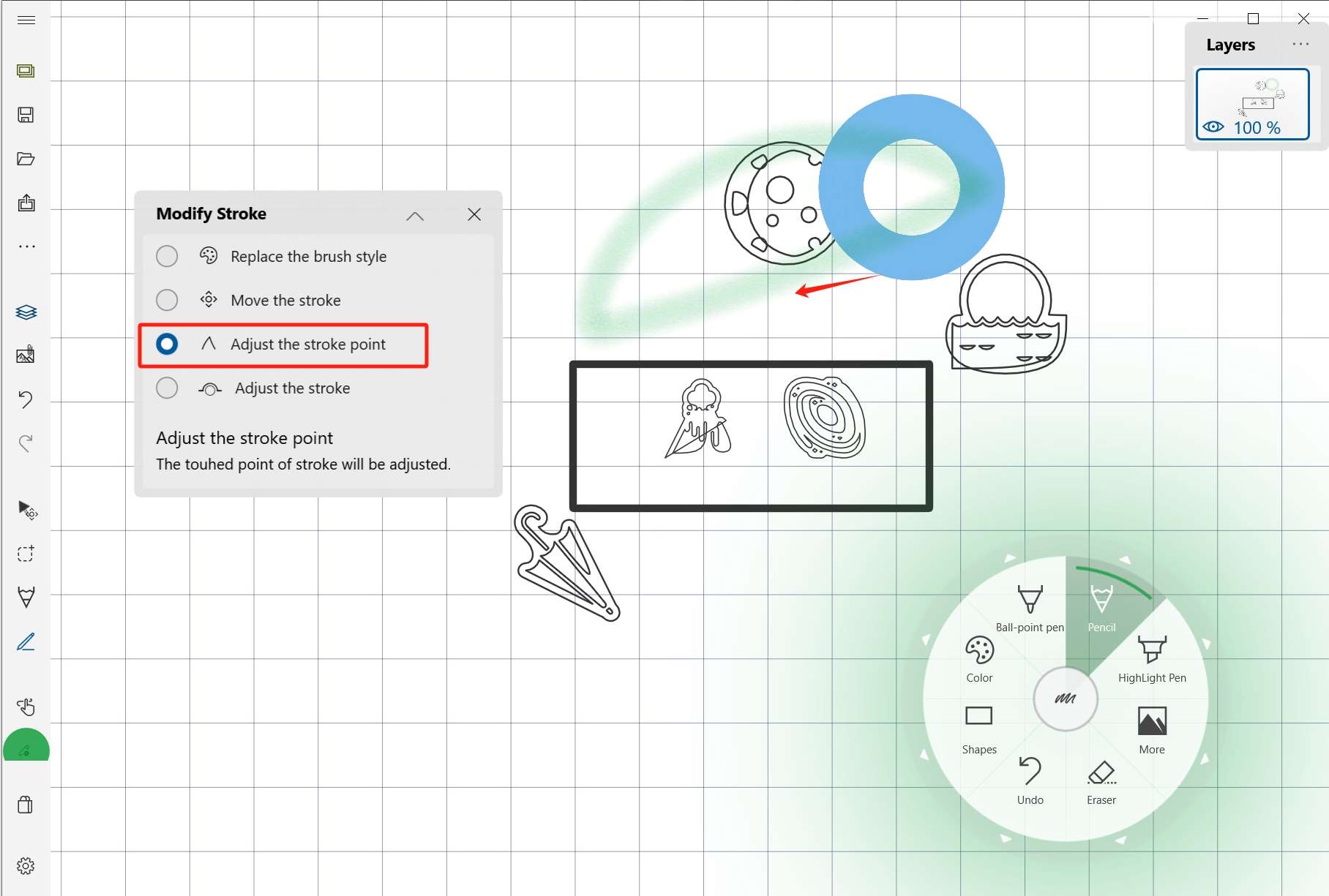
Adjust stroke curvature
Use the arc adjustment tool when the curve itself needs to be refined.
When to use this mode
Edit Stroke is best for small corrections: a line that is slightly off, a stroke that needs a different style, or a curve that should be smoother.