
Help
Getting started with Sketch Board
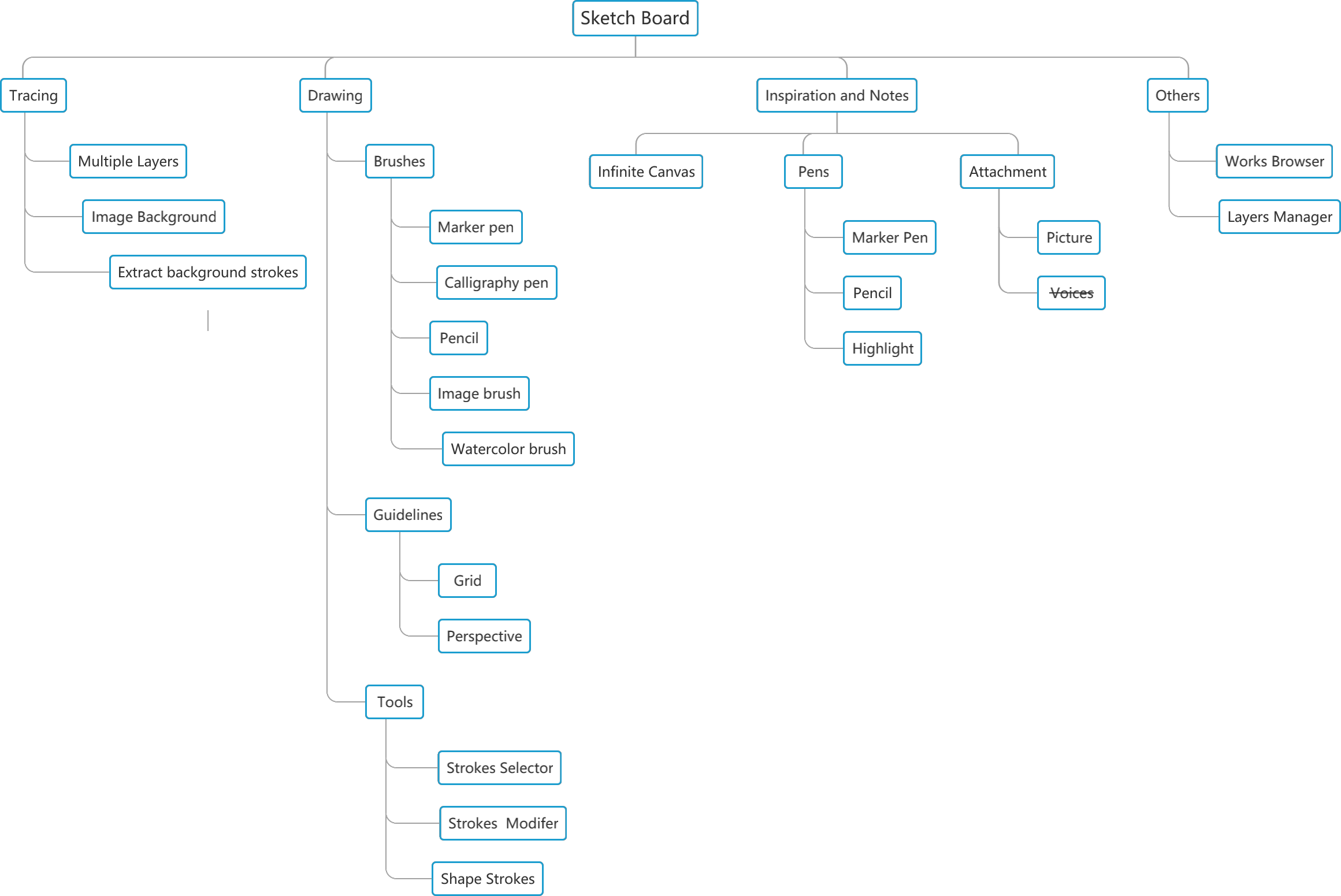
Use the function map, open Tools mode, and choose the right creation mode before drawing.
Quick answer
Start with the function map, open Tools mode, then choose the mode that matches your task: Select & Transform, Strokes Selector, Sketching, or Edit Stroke.
Choose a tool mode
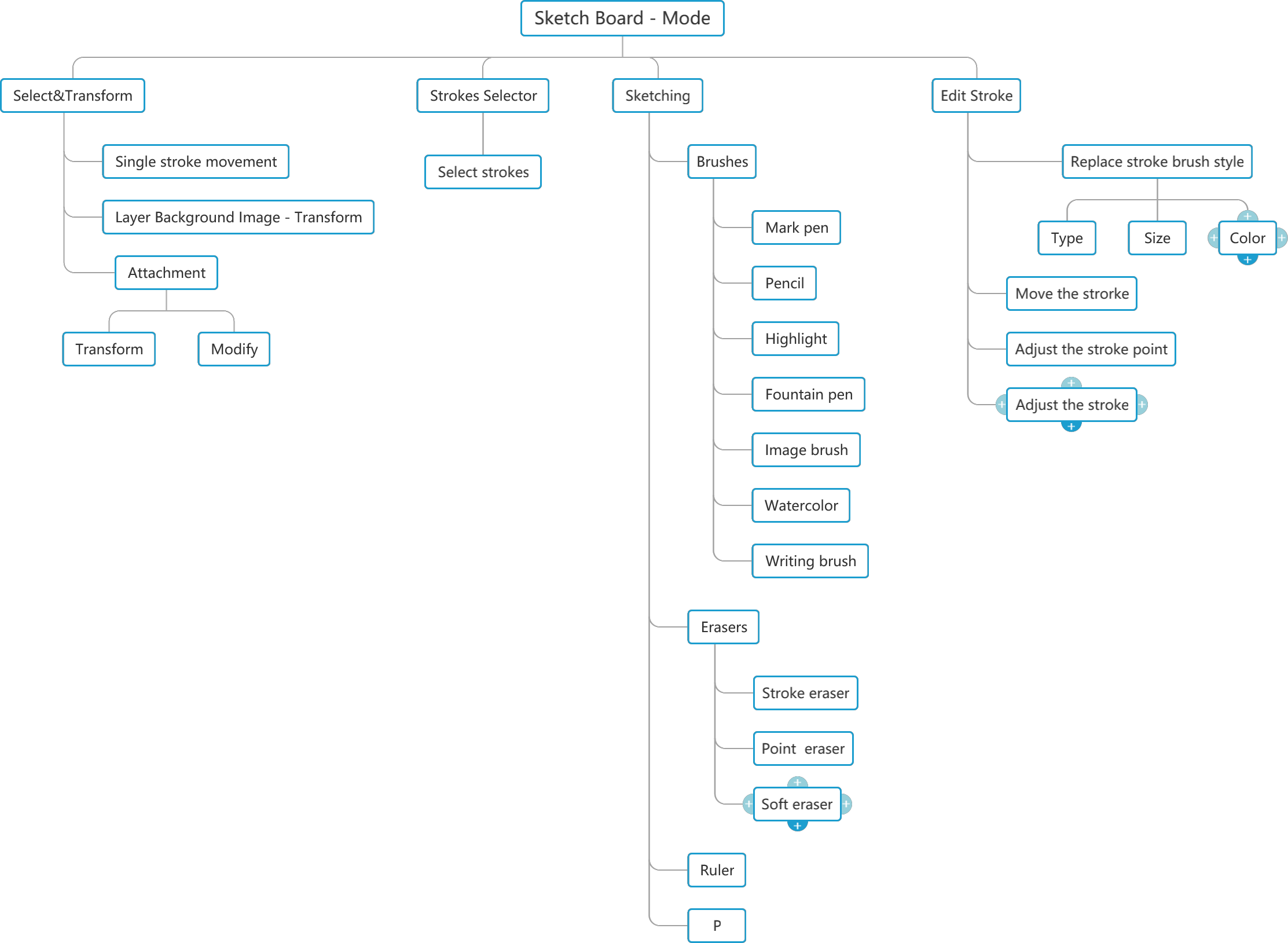
- Select & Transform: move, scale, rotate, or transform selected content.
- Strokes Selector: select handwriting or drawing strokes.
- Sketching: write, draw, erase, add shapes, and choose colors.
- Edit Stroke: adjust existing strokes, brush style, points, and position.
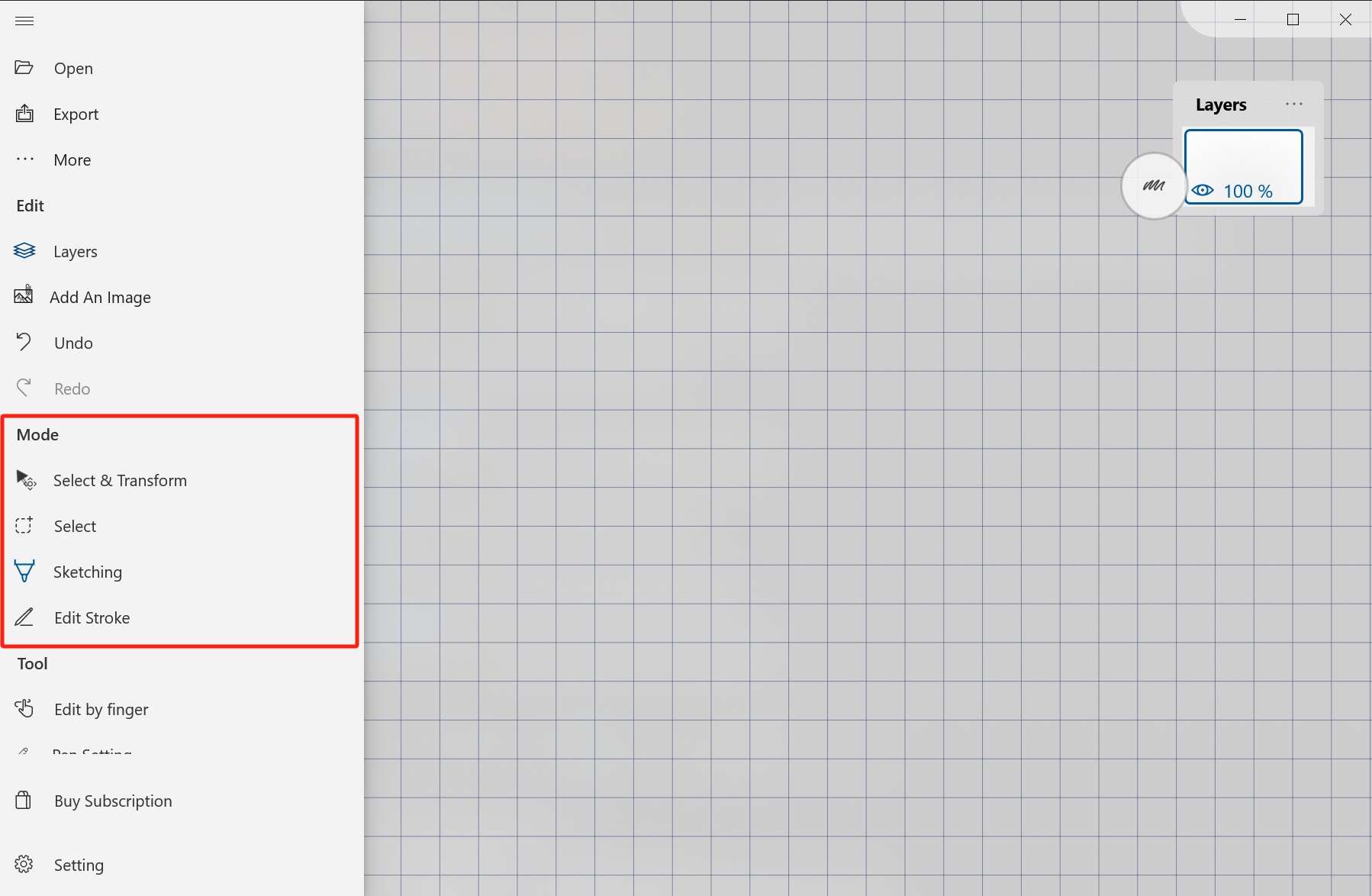
Good first workflow
- Create or open a board.
- Enter Tools mode.
- Switch to Sketching mode.
- Draw a few strokes.
- Save or export after confirming the board behaves as expected.