Help
Trace from an image in Sketch Board
Add an image as a layer background, adjust opacity, create a handwriting layer, and draw clean lines over it.
Quick answer
Import an image as a layer background, reduce its opacity, add a new handwriting layer, then draw over the image.
Add the image as a layer background
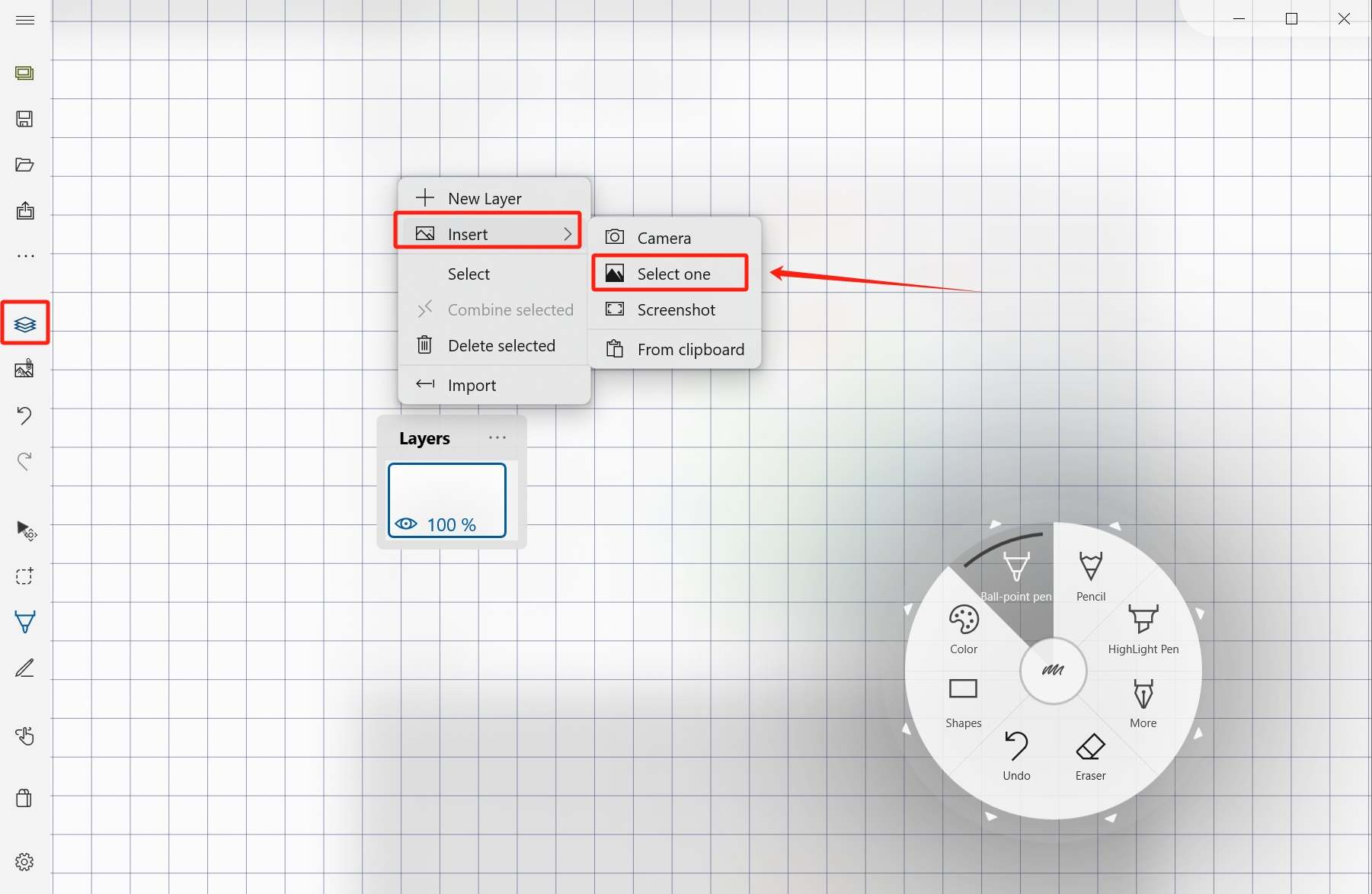
You can add an image directly as a new layer:
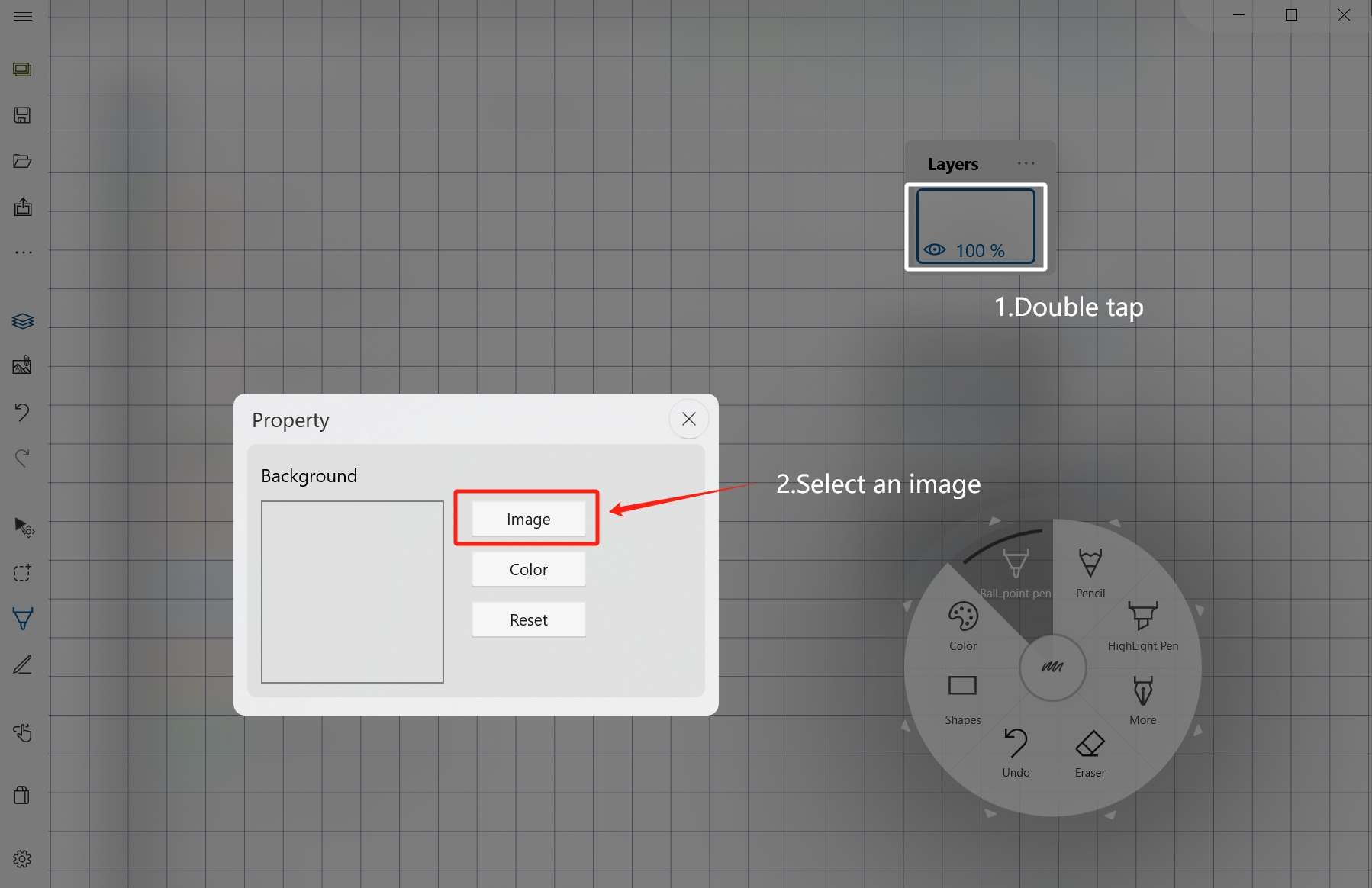
Or set it as an existing layer background:
Adjust the background
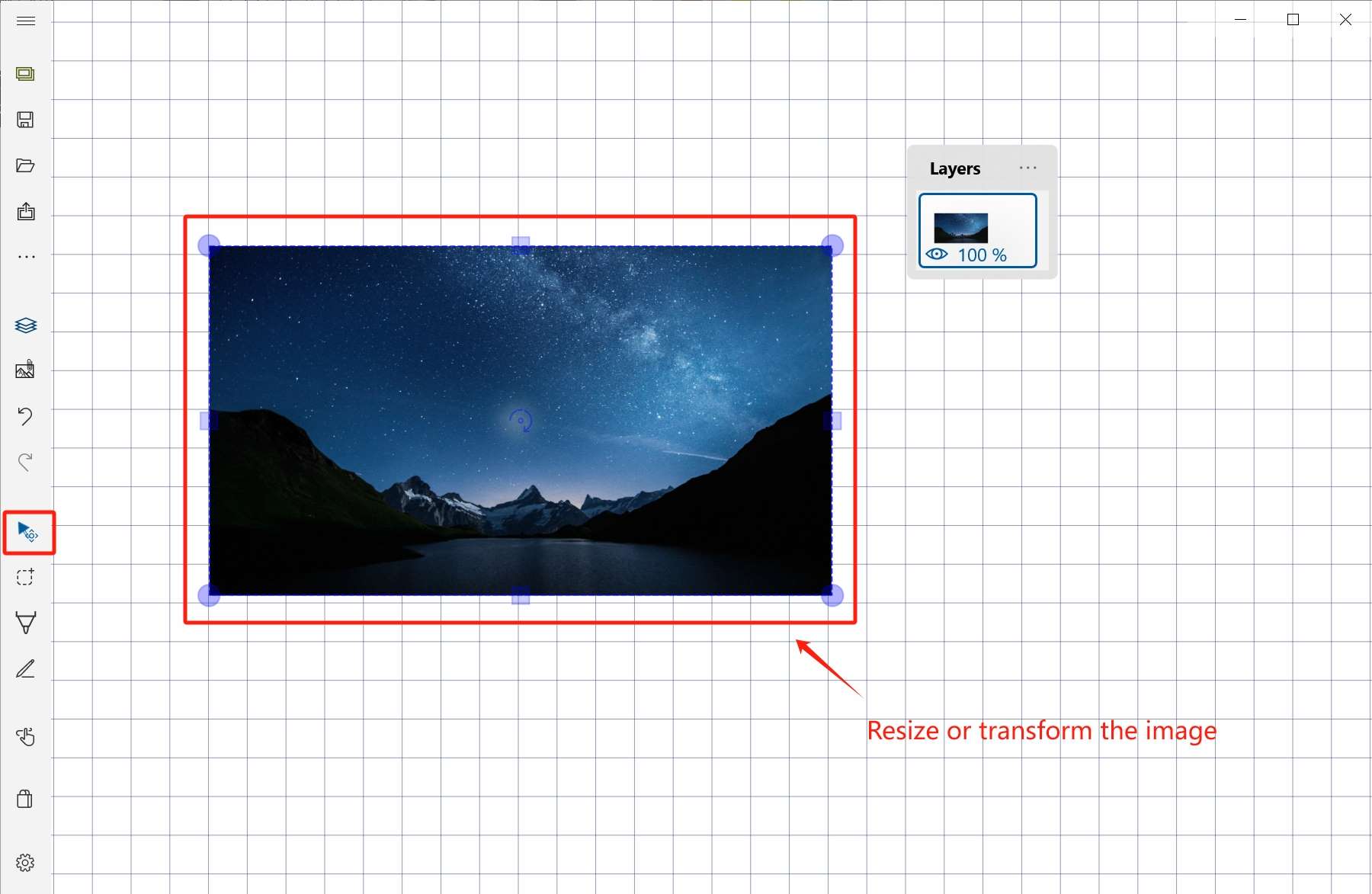
Transform and position the background image so it lines up with your drawing area.
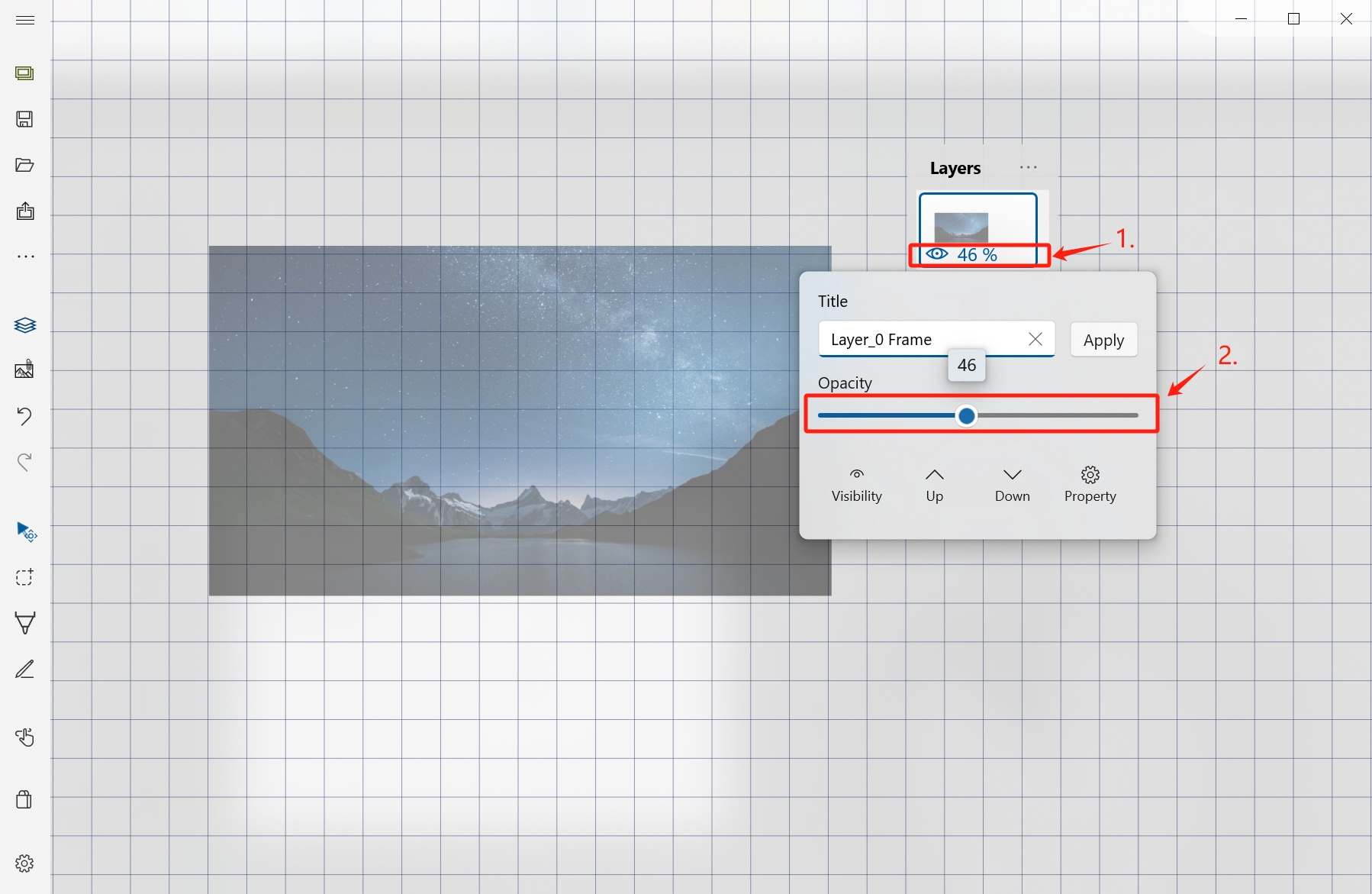
Lower the layer opacity so your new strokes are easy to see.
Draw on a new layer
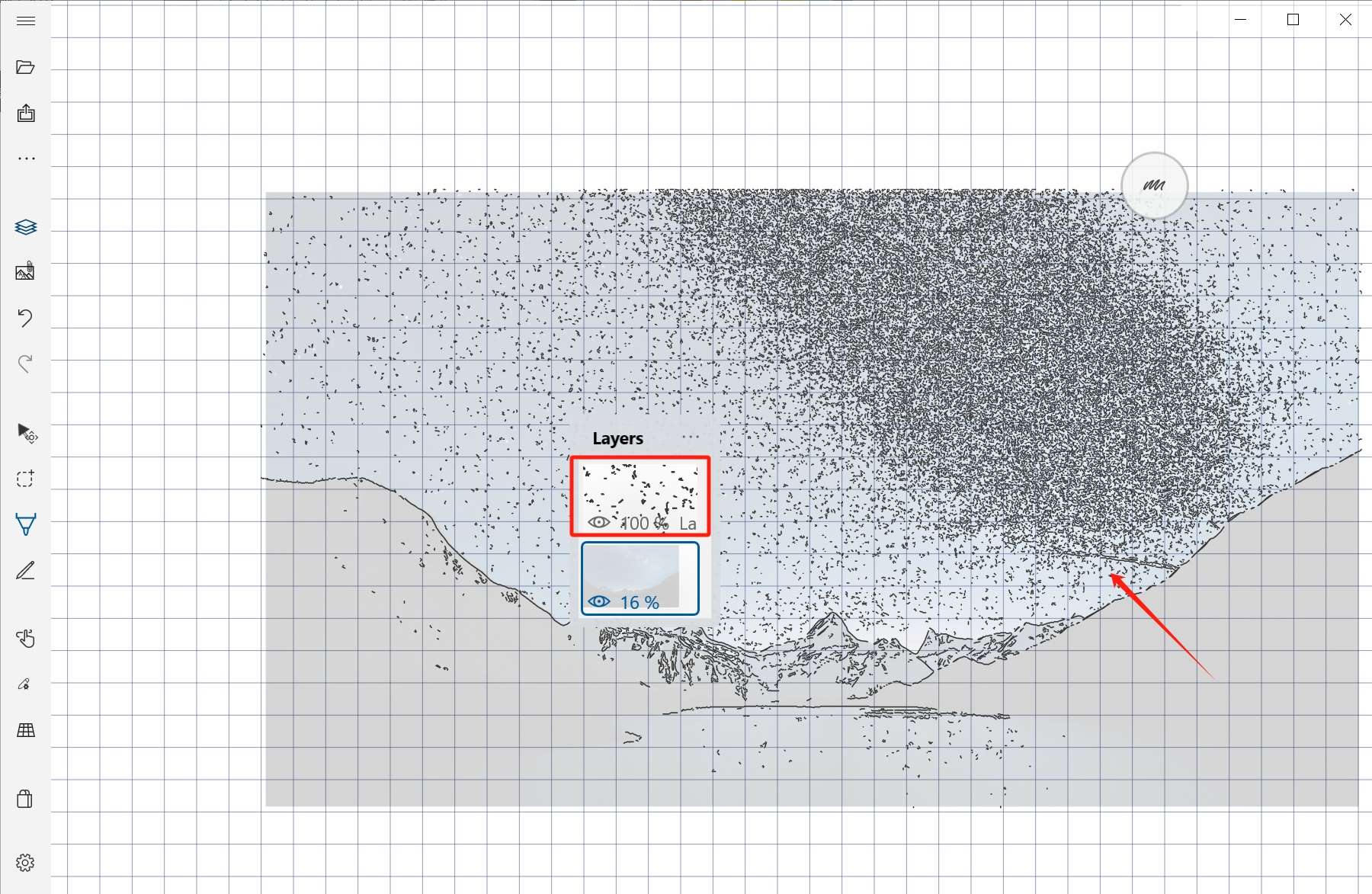
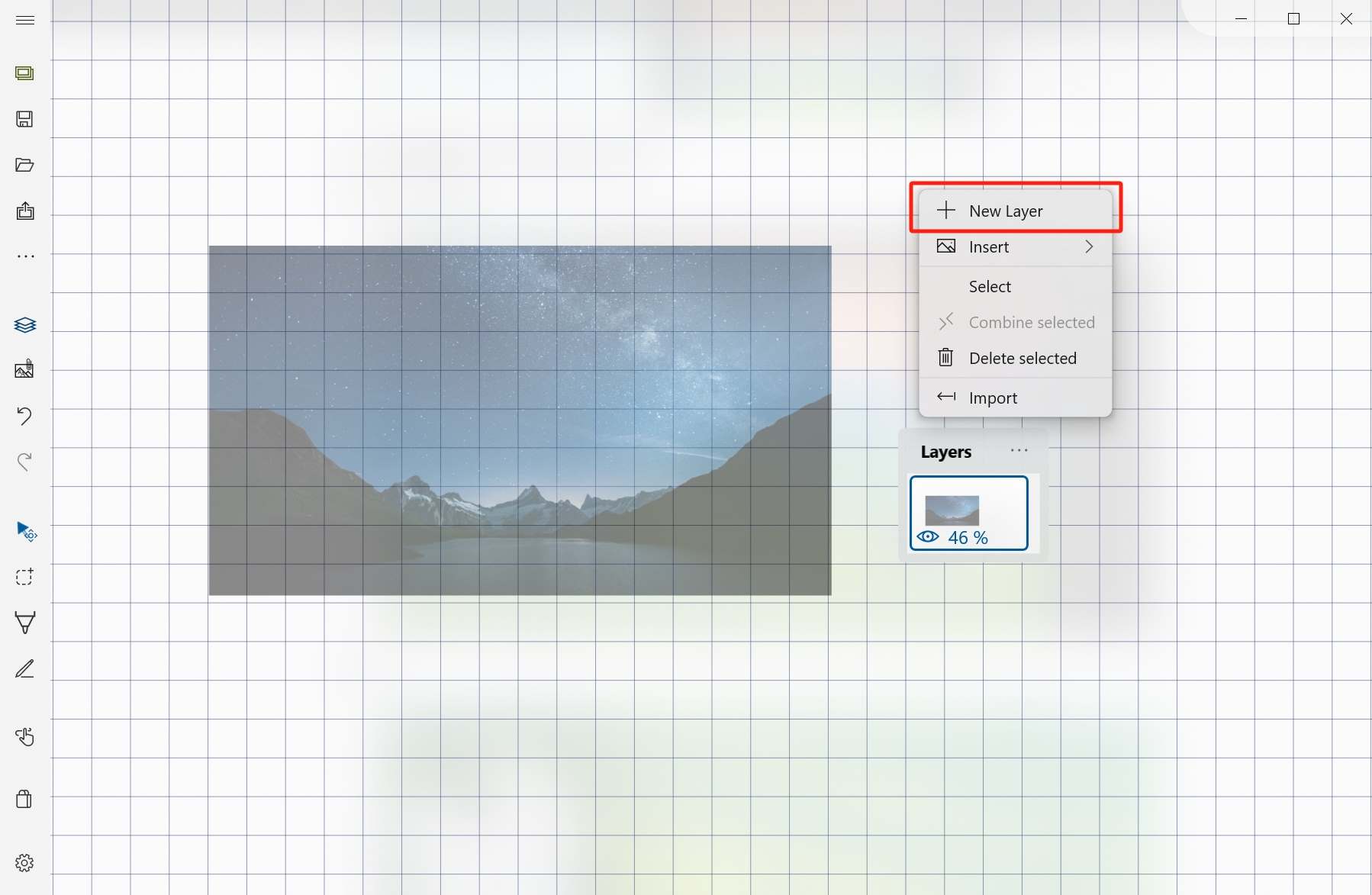
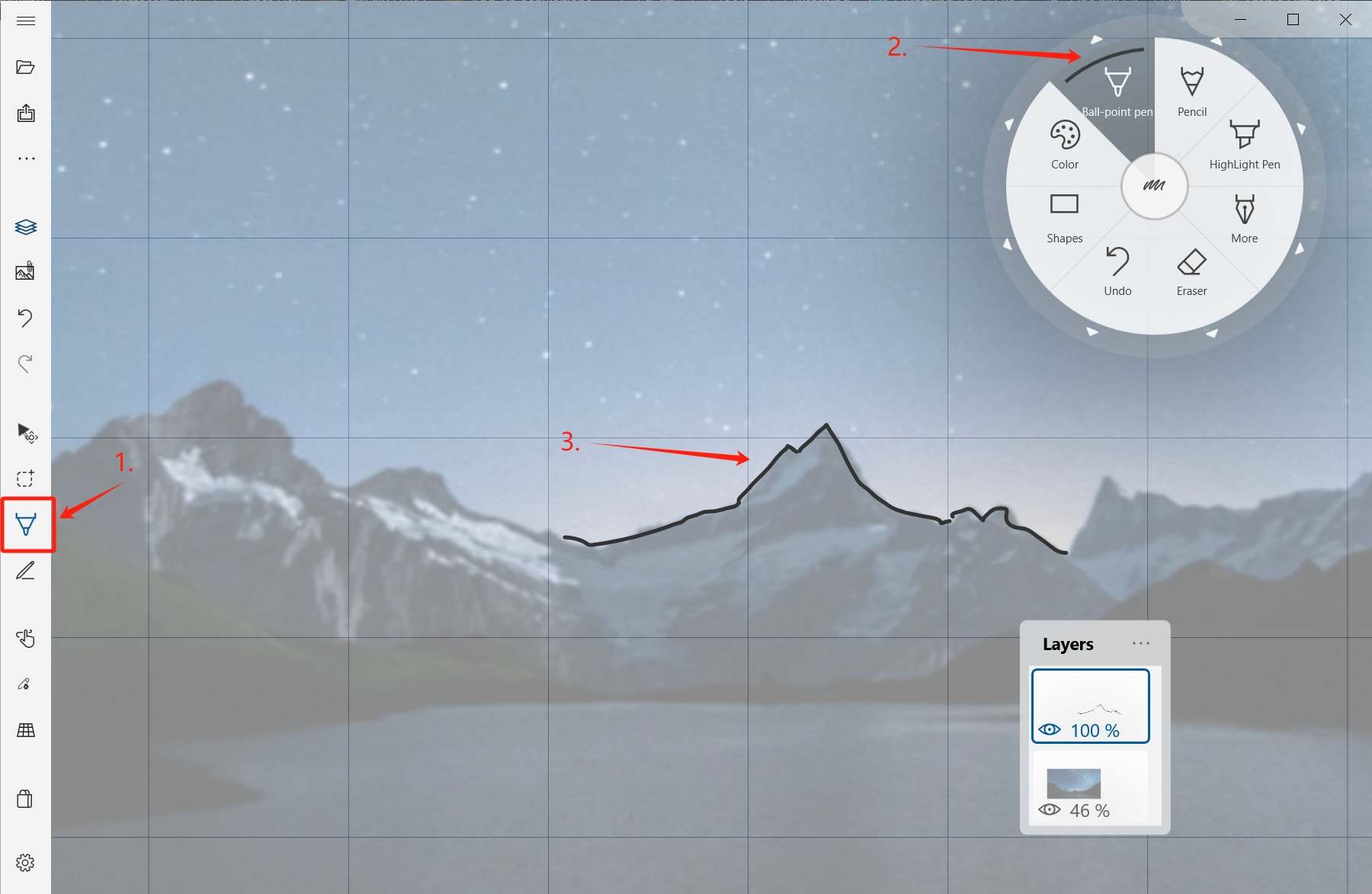
Create a new handwriting layer above the image layer, then trace the visible lines.
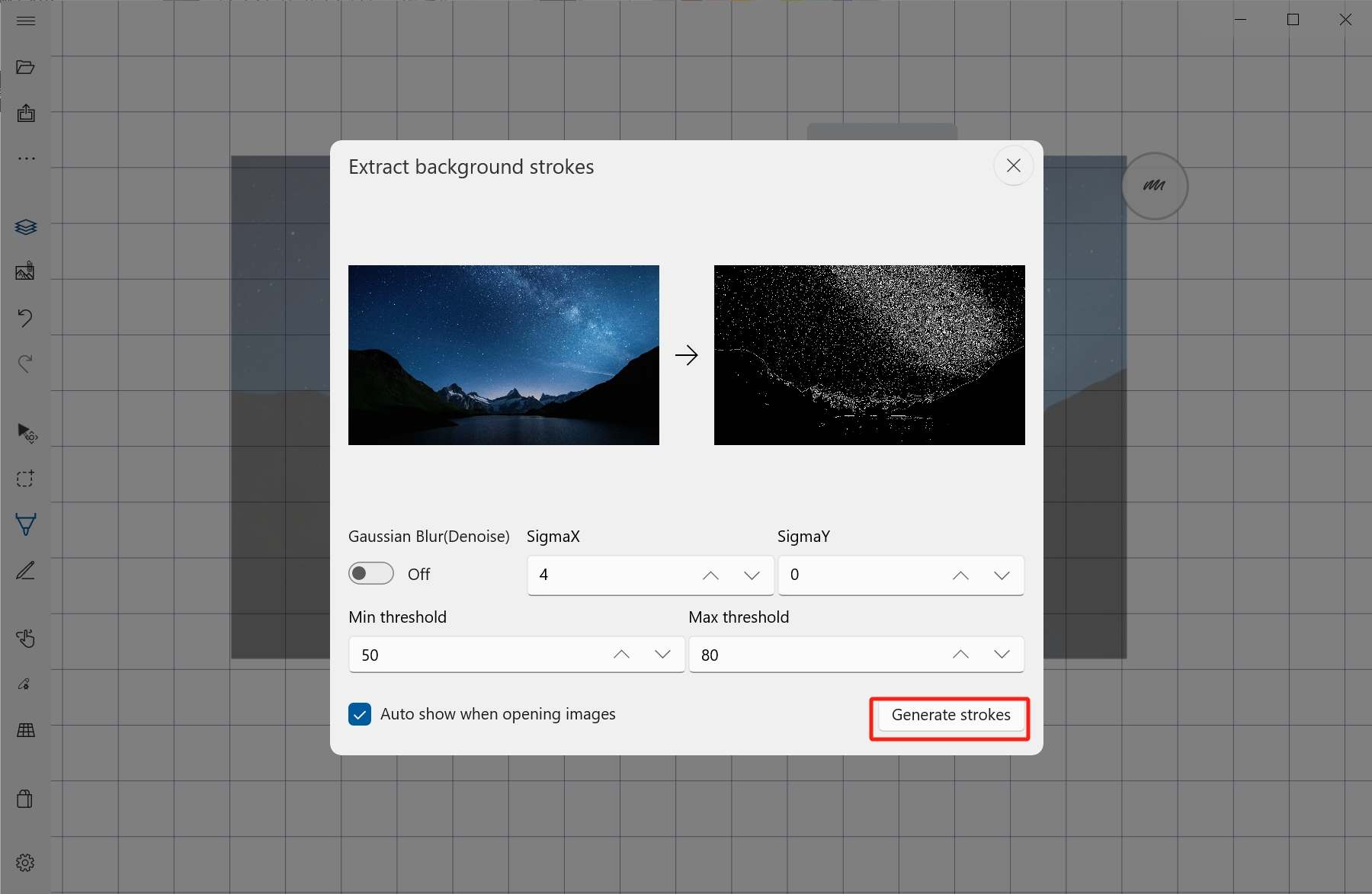
Optional: extract background handwriting
For some images, use the layer item menu to extract handwriting from the background image.
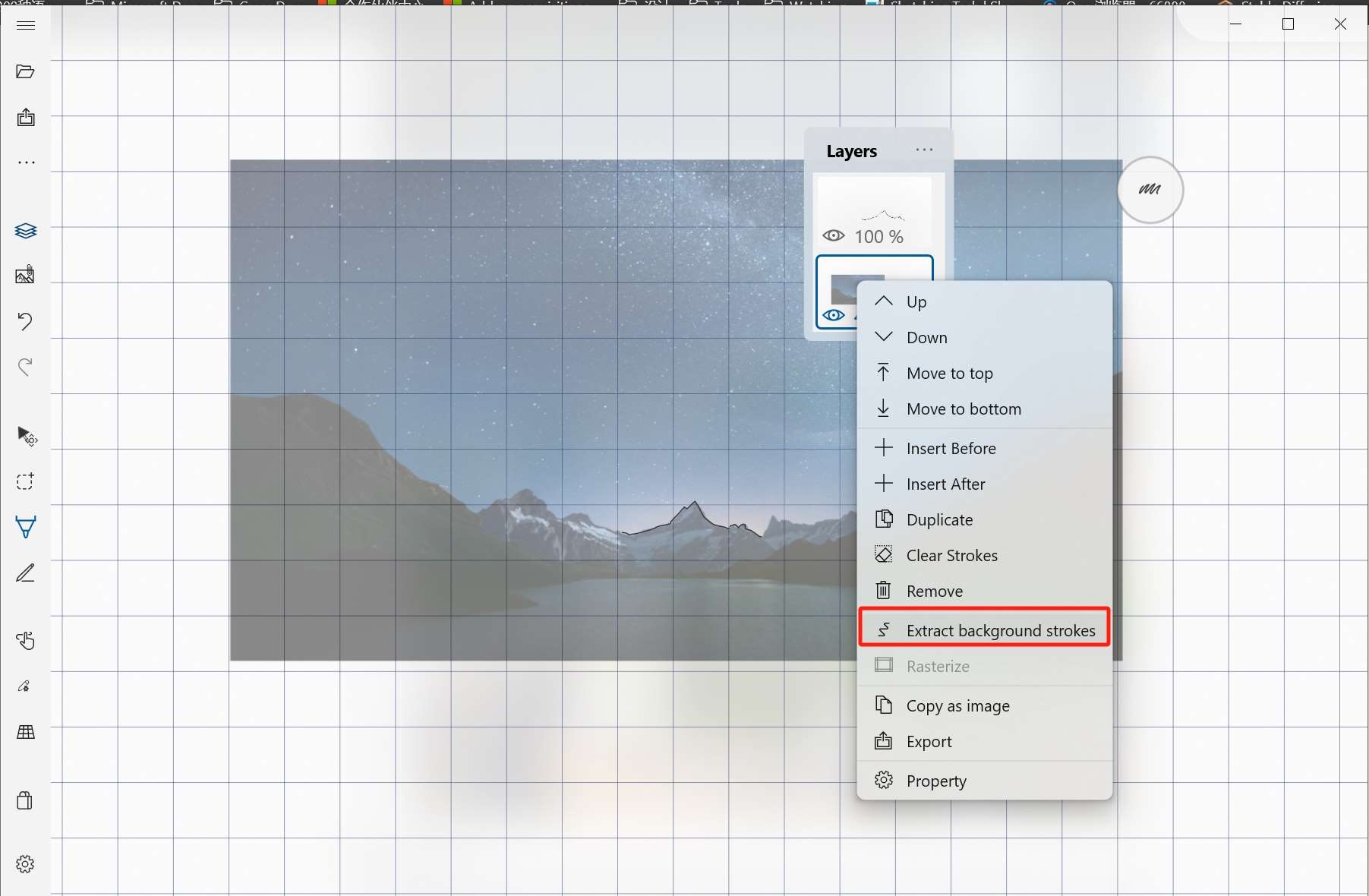
Adjust extraction parameters, then let Sketch Board create new handwriting layers from the detected strokes.